KerfReady is in private beta. Got an access code? Open the app →

CNC routing for cabinetry, joinery & exhibition builds

From 3D model to cut-ready router sheets.

Drop in a STEP file from any CAD program. KerfReady flattens every panel, puts every pocket on a layer by depth and nests it all onto your sheets – a layered DXF ready to toolpath in 2D vector CAM software such as VCarve or Aspire.

Built in a working exhibition and joinery workshop – to get designs onto the CNC router without redrawing them. Made for sheet materials: ply, MDF and board.

Preview free, pay to download Nothing to install Files deleted after 60 minutes
kerfready.com/app · Board 1 of 3 · 18 mm
Sheet used82%
OUTSIDE CUT THRU
INSIDE CUT THRU
6MM CUT
10MM CUT
3MM TEXT
Made for CabinetryJoineryExhibition standsShopfittingFurnitureDisplay & POS Reads STEP files from Autodesk FusionSolidWorksOnshapeInventorFreeCAD& more

The bottleneck

Your CAD has the design. Your CNC needs 2D.

Modern CAD has CAM built in, but most workshops cut from 2D vector CAM software such as VCarve or Aspire, which want flat, layered vectors. Turning an assembly into that by hand means redrawing panels, sorting pockets by depth and laying sheets out one part at a time.

KerfReady does that whole step in a couple of minutes, consistently, every time.

✎
By handRedraw each panel, layer each pocket, nest each sheet – hours per job
⚠
Mistakes creep inA missed pocket or a wrong depth is a ruined sheet
✓
With KerfReadySTEP in, layered and nested DXF out – with a nest report and costs

Who it's for

Two sides of the same job

Whether you draw the job or cut it, KerfReady gets the 3D model into flat, layered 2D for the router.

3D modelling technicians

You design the job in Fusion, SolidWorks, Onshape or Inventor – and someone needs flat 2D geometry to cut it.

  • Export flat, layered 2D for the CNC without redrawing a single panel
  • Pocket depths come straight from your model
  • A free panel schedule of every part for checking and hand-cut work
  • Fusion users can send a design straight from the toolbar

CNC operators & cutting shops

Your clients and designers send you STEP files – and you need DXFs your CAM can toolpath.

  • Turn a client's STEP file into nested, layered DXFs yourself
  • Nest onto the sheets and offcuts you actually have, with grain
  • Remnant cuts and an offcut library, so leftovers get used
  • Machining time and costs for quoting Pro

How it works

Three steps. No drawing.

Works in your browser – nothing to install, any CAD program.

OFFCUT 512 × 1220 6 parts · 2 identical · 2 pocket depths 1 sheet · 2440 × 1220 · offcut kept LAYERS CABINET.step

Drop in your STEP file

Export your assembly as STEP and drop it in. KerfReady finds every flat part, counts identical copies and groups them by thickness – with a picture of each.

Tip: each component – or each body, if you model in bodies – becomes a part, named as in your model. Give parts clear, unique names: they're what you'll see on the DXF, the nest report and the panel schedule.

Set your stock

List the sheets and offcuts you have, with prices if you want costs. Set pocket extensions, spacing and how parts are laid out.

Preview, then download

See every sheet before you pay. Tweak and re-run as often as you like, then download the DXF, a nest report PDF and a text report.

Free · panel schedule

Every part, drawn and dimensioned

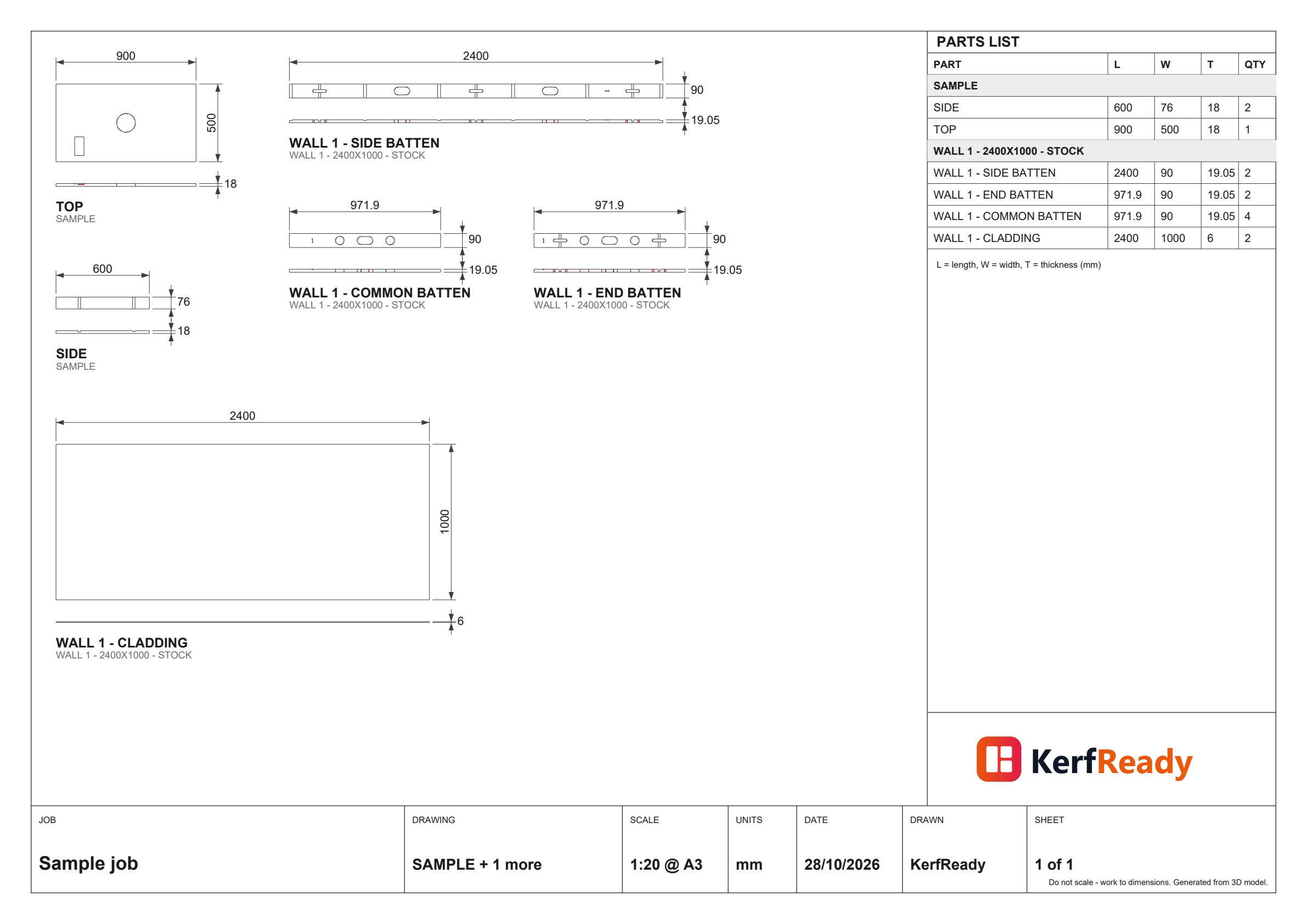
Drop in a STEP file and get an A3 PDF of every flat part, face-on with its length, width and thickness, plus a parts list with quantities – the whole job on as few sheets as stay readable.

  • Check a model before it goes to the CNC
  • Hand it to whoever cuts or assembles by hand
  • Identical parts drawn once, with the total quantity
Make a free panel schedule →
A sample A3 panel schedule: parts drawn with dimensions and a parts list

Features

Made for how a CNC shop actually cuts

An L-shaped edge pocket extended past the part edge

Edge pockets extended

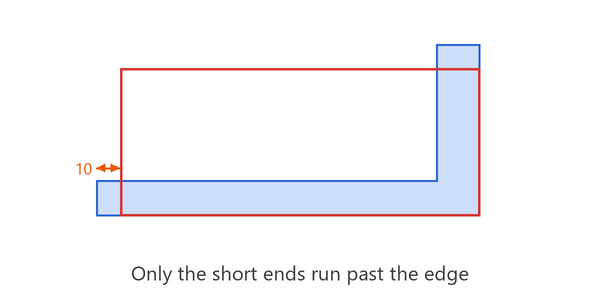
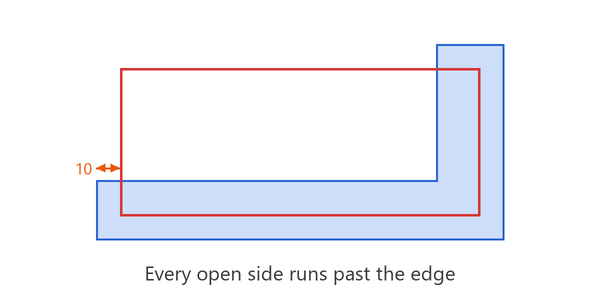
Pockets that run off a part are cut past the edge so the cutter clears cleanly – along length and width, the short ends only, or not at all.

One pocket running across four parts

Joined pockets

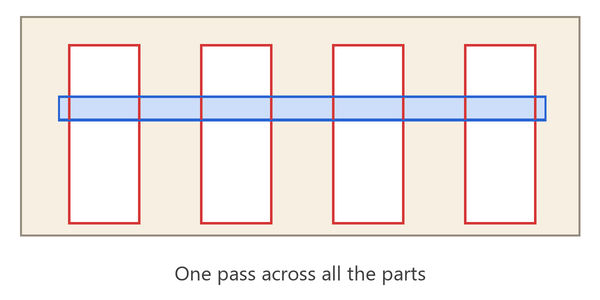
Lined-up dados on identical parts become one long pocket, so the cutter doesn't lift between every part.

Rectangular parts packed tightly on a sheet

Nesting that fills the sheet

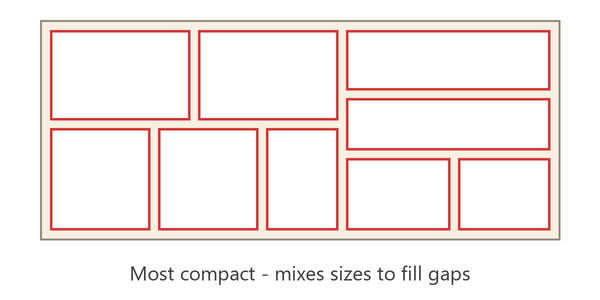
Best fit, rows, columns or true-shape nesting for curved parts. Choose your start corner, spacing and edge margin.

An offcut filled before a full sheet

Uses your offcuts first

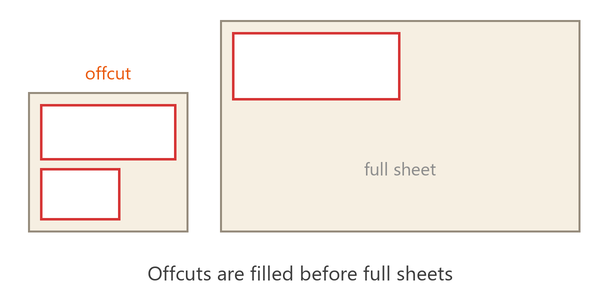
List what's in the rack. Offcuts are filled before full sheets, and extra sheets are only added when needed.

Small parts nested inside a large part's cut-out

Parts inside cut-outs

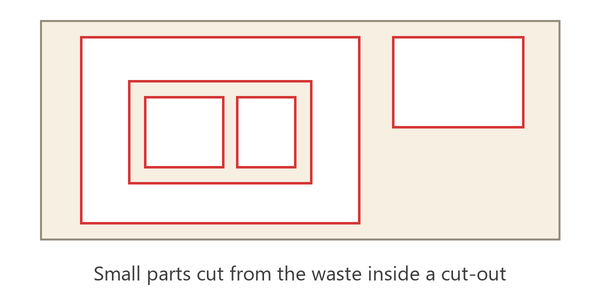
Small parts can be cut from the waste inside larger parts' cut-outs – less waste, fewer sheets.

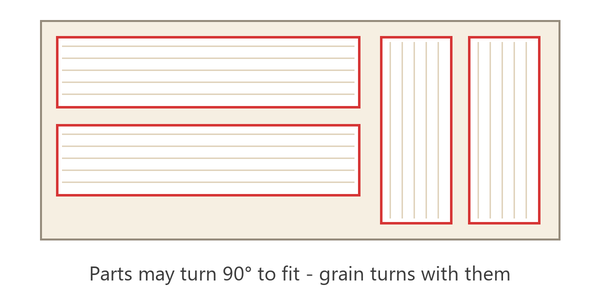
Parts with grain lines, some turned 90 degrees

Grain-aware

Let parts turn to fit, or keep every part in its drawn direction so the grain runs the way you designed it.

Layered DXF

Every depth on its own layer

Profiles, cut-outs and each pocket depth come out on separate, colour-coded layers – front and back faces kept apart. Text is written as single-line text, ready to engrave.

Rename the layers to match your toolpath templates and every job drops straight into the same VCarve setup.

OUTSIDE CUT THRUprofiles
INSIDE CUT THRUcut-outs
6MM CUTpockets, 6 mm
10MM CUTpockets, 10 mm
10MM CUT - B SIDEback face
3MM TEXTsingle-line text
BOARDSsheet outlines

KerfReady Pro

Know how long the job will take before you quote

Enter your tools, feeds and stepdowns once. Pro estimates machining time for every layer and every sheet – plunges, moves, tool changes and loading included – and turns it into a cost at your machine rate.

  • Per-layer and per-depth tool settings
  • Time per sheet and for the whole job
  • Calibrate once against your own CAM
  • In the preview and the nest report
MACHINING TIME≈ 1 h 16 min£56.74
Outside profiles · 6 mm · 4 passes40 min
5 mm pockets · 3 mm10 min
Inside cut-outs · 6 mm · 4 passes10 min
11.5 mm pockets · 6 mm · 2 passes6 min
Tool changes & loading10 min
Example estimate at £45/hour

Privacy

Your designs stay yours

Your models are your business. KerfReady is built to forget them.

Never kept

Every upload and result is deleted 60 minutes after you last use it – or straight away with one click.

Never shared

Your files are only ever used to make your DXF. They're never looked at, shared or used to train anything.

Your job, your tab

Each job lives in its own private space, reachable only from the browser tab that created it.

For Autodesk Fusion users

Export straight from your design

The free KerfReady add-in puts a CNC Export button in Fusion. Pick sub-assemblies, set quantities and stock, and get the DXF and nest report without leaving your model – sketch text included.

Get the Fusion add-in
JobNestingMachiningStock
Extend edge pocketsAlong length only
Extend by10 mm
Join lined-up pocketsOn

Pricing

Preview free. Pay when it's right.

Start free with a panel schedule and unlimited previews. You only pay when you download the cut-ready files.

Free

£0

See what KerfReady makes of your model

  • Panel schedule PDF of every part
  • Unlimited nest previews
  • Outline-only DXF coming soon
Start free

Single job

£9 / download

For the occasional job

  • Unlimited previews
  • Layered DXF, nest report & text report
  • Offcuts, costs and all nesting options
Start a job

Workshop

£29 / month

For shops cutting every week

  • Unlimited downloads
  • Saved stock, settings & layer names
  • Fusion add-in
  • Email support
Try it free

Pro

£39 / month

Everything in Workshop, plus quoting

  • Machining time per layer & sheet
  • Machine-rate costing
  • Tool presets
  • Priority support
Try it free

During the private beta, downloads are free for beta testers. Prices exclude VAT. Cancel any time.

FAQ

Questions, answered

Which CAD programs work?

Anything that exports STEP (.step or .stp): Fusion, SolidWorks, Onshape, Inventor, FreeCAD, Rhino and more. Export the whole assembly – KerfReady finds the flat parts itself. Components and bodies both work: each body becomes its own part, named as in your model, so give parts clear, unique names.

What's the free panel schedule?

An A3 PDF of every flat part in your model, drawn face-on with its length, width and thickness, plus a parts list with quantities. It's free – upload a STEP file and press Make panel schedule. Handy for checking a model, or for parts cut and assembled by hand.

Which CAM software is it for?

The DXF is made for VCarve and Aspire, and works in any CAM that reads layered DXF – Alphacam, Cut2D, Fusion CAM and others. Layer names can be changed to match your templates.

What about curved or folded parts?

Flat parts of any outline are fine, including curves and angles – true-shape nesting fits them together. Curved or folded bodies (e.g. bent laminate) are listed separately so nothing is missed.

Does it add tabs or toolpaths?

No – KerfReady makes clean, layered vectors. Tabs, tools and toolpaths are set in your CAM, which is where your machine knowledge lives.

How accurate is the machining time?

It's an estimate for quoting, usually close to your CAM's own figure. Set the calibration once against a job from your CAM and it'll track your machine closely.

Is my design safe?

Yes. Files are deleted 60 minutes after you last use them, or immediately when you press Delete. They're never shared or kept. See the privacy policy.
Your next job, cut-ready in minutes

Drop in a STEP file and see the nest – free, no sign-up needed to preview.